CaveShip
Release Year
2005
Version
1.21
Last update
2005
Genre
Simulation
About the Game
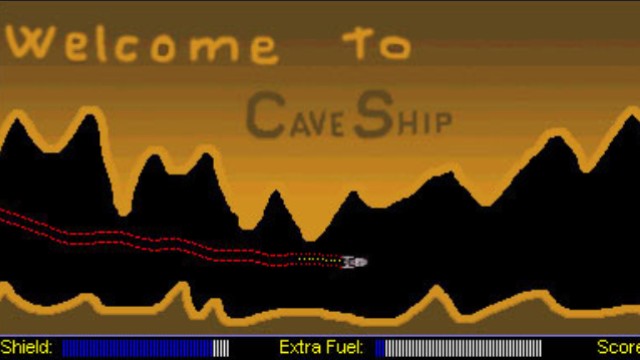
CaveShip is a fast action game set deep in the caves of space asteroids. Your goal is to reach the end of each cave while scoring as high as possible.
The flight model rewards precision and risk: turbo boosts raise your score but increase damage, brakes reduce risk but lower points, and flying close to the cave walls earns bonus score.
A bundled Map Importer lets you create your own caves from simple bitmap files, then import and play them in-game.
Replays, score uploads, and a dedicated high score list support competitive runs.
Game Guideline
Import Map
With the game you get the Map Importer. You can make your own maps, send them to us and download new ones from our website.
How to make a new map
Open your favorite Picture Editor
Create a new Bitmap picture
Height must be 200 pixels
Width anywhere from 1,000 to 30,000 pixels
Draw a level using your pencil or another tool — do not use blur effects (the ship can only fly through pure black)
Save it (no compression) in the "Maps\\" folder
Run "Import Map.exe", select your file, name your map, and click IMPORT
Exit the program, run the game and press ENTER over your map! Enjoy...
Controls
In Menu
In Game
Replay
Playing Instructions
Stats (HUD)
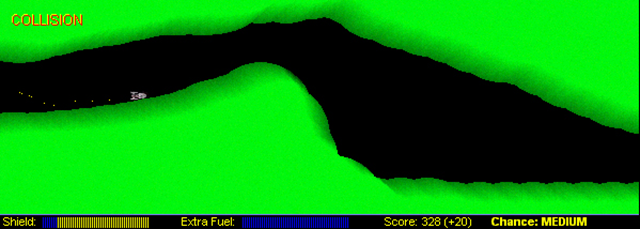
In-game HUD layout
Scoring
Full shield = max points. Less shield = less points.
Turbo gives 50% more score because of higher risk.
Brakes reduce score by 50% because it's safer.
Flying near cave edges earns bonus score.
Damage
Damage depends on force of hit.
Turbo collision
Double damage
Brake collision
50% less damage
Below 30% Shield the Extra Fuel bar turns RED. You can't use Turbo unless no other thruster is active — forcing Turbo will drain all extra fuel.
Hints and Tips
Debug Mode
DIn Debug mode you can see FPS and extra lines on sides of your ship, don't worry you can't hit the edges with them. That lines indicate a Bonus score. Closer you are to the ground more points you get, lines on the picture show you that. If the lines don't even touch the ground, you won't get Bonus Score.
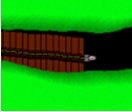
Debug Mode in action
Turbo Mode
Use your turbo whenever you have a chance, because it can boost your scores for 50%, but use it wisely.
Collisions make more shield damage
Brake Mode
Use your brakes only when you are heading for a wall. Don't use them often, because they reduce your score up to 50%.
Collisions make less shield damage
Pro Tip
If you want higher scores, use your Turbo more often and fly as close as you can to the edges, but try not to hit the edges, because then you will automatically get less scores because of lesser Shield.
Features
System Requirements
Operating System
Windows 95/98/ME/YOU/THEY/XP+
Processor
500 MHz processor or lower 😉
Memory
32 MB RAM
Graphics
Yes 😆